
"How many days do I have left?" is probably the question your front desk answers most often. Close behind: "Is the gym open on Sunday?", "When is my next PT session?" and "Did my payment go through?". Each one is a small interruption, and together they eat hours of desk time every week.
A member app answers those questions before they are asked. GymLeb members use one app, available on the App Store and Google Play, that connects to their membership at your gym. This guide covers what members see, how they sign in, and how to get your members using it.
What members see when they open the app
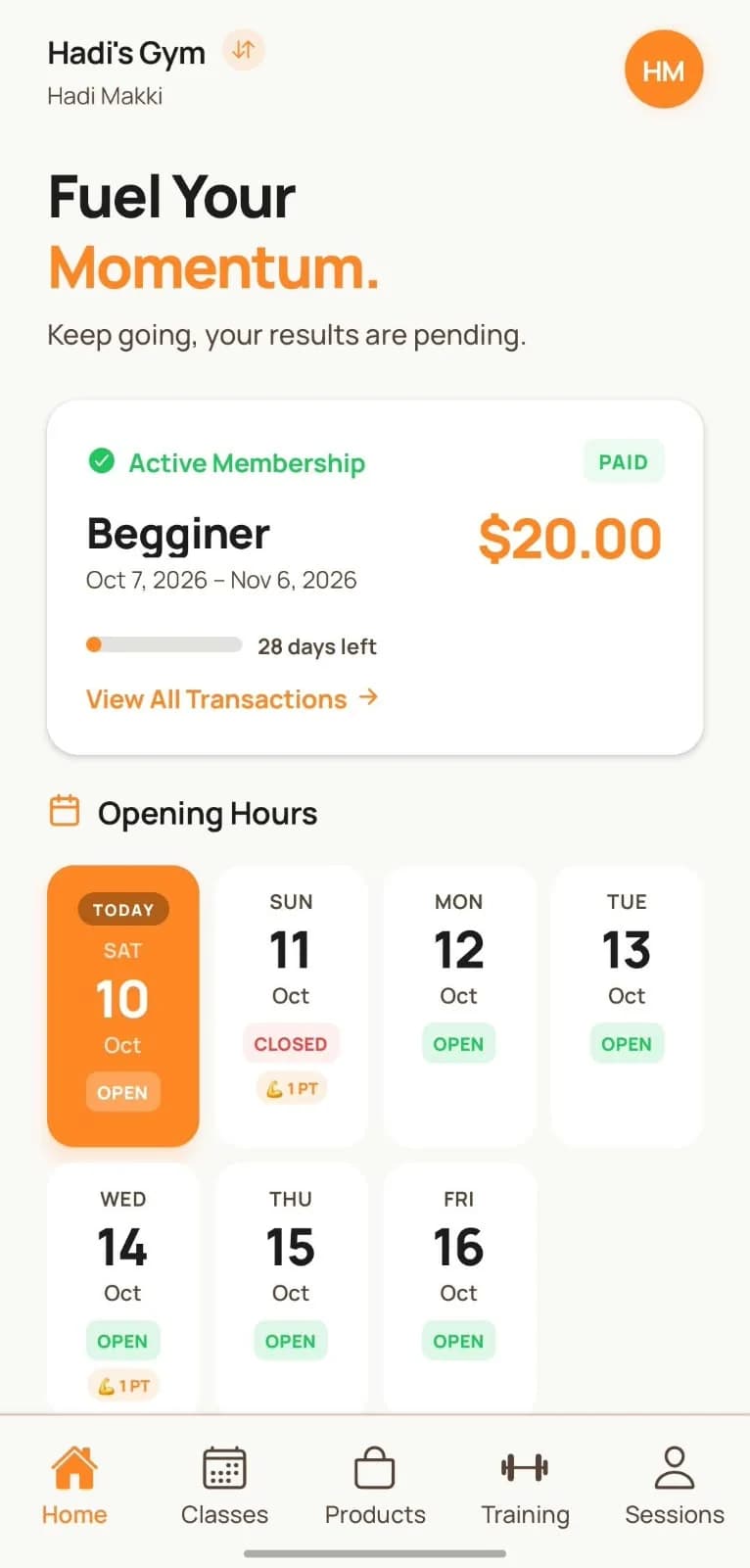
The home screen is built around the questions members actually ask:
- Their membership: the plan, start and end dates, how many days are left, and whether it is paid. When seven days or fewer remain, a renewal banner reminds them.
- Visits left on plans with a visit limit, for example "4 of 12 visits left".
- Your gym's information: opening days and hours, women's only times, a note from the gym, special offers, your personal trainers, and how to reach you.
Members can also see their transaction history, so "did my payment go through?" has an answer on their phone.
Classes, personal training and programs
For gyms that run classes with online booking, members see the weekly schedule, book a class, see their bookings and cancel if their plans change. Their attendance history shows the classes they attended, with any comments from the trainer. Gyms that manage class rosters themselves can keep it that way, and members then see their own schedule instead of a booking page.
For personal training, members see their sessions grouped as upcoming, time not set, completed and cancelled, along with their PT packages. When a session has no time yet, the member can set it.
The Training section lets members keep their workout programs: days, exercises, sets, reps and weight. If you prefer coaches to own the programs, you can turn member editing off. A trainer can also attach a link, for example to a shared sheet.
There is also a product catalog with search and categories, so members can see what you sell at the desk before they ask.
Notifications that bring members back
The app sends push notifications for the moments that matter: a new or changed PT session, a session reminder, an upcoming expiry, a payment confirmation, and a cancelled or restored class. Tapping a notification opens the right screen.
App notifications sit alongside WhatsApp reminders. WhatsApp reaches every member with a phone number; the app adds a free, instant channel for members who installed it.
Signing in
Members sign in with their phone number and a password. The first time, the password they type becomes their password, so you never have to hand out or reset passwords at the desk. Repeated failed attempts lock the account for safety.
One login covers every gym the member belongs to. A member who trains at two GymLeb gyms, or at two branches of yours, picks the gym when they sign in and can switch at any time from the header. Their PT sessions, transactions and notifications from all gyms appear together.
Members can also browse public gyms in the app without an account, which is a small extra way for new people to find you. Your gym also has a public page on the web, at gym-leb.com followed by your gym's name, with the same information and a member portal that uses the same phone number and password.
Profile and privacy
Members manage their own profile: photo, personal information, health details such as height, weight and medical notes, and training goals. They can deactivate or delete their account from the app at any time, which is also what the app stores require.
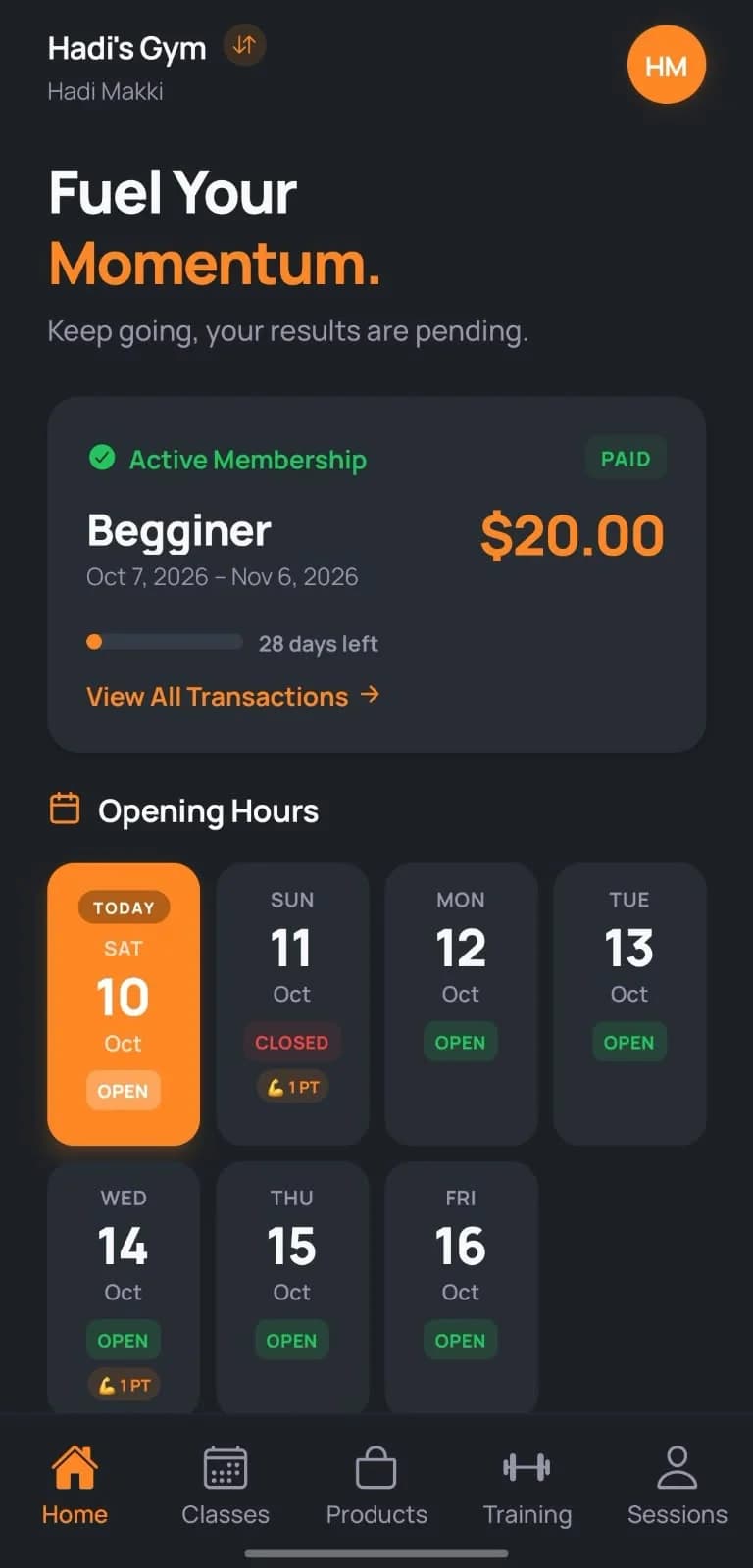
The app supports light and dark mode. It is currently in English.
Getting members to install it
An app only helps if members have it. What works:
- Show it at sign-up. When a new member joins, the desk helps them install the app and sign in with the phone number on file. It takes a minute.
- Point people to it. When someone asks "how many days do I have?", answer, then show them where it is in the app. Next time they will look first.
- Put the download link where members look. Your WhatsApp status, a QR code on the desk, your Instagram bio. The download page has the store links.
- Keep your gym information current. Opening hours, women's only times and offers are only useful when they are right, especially around holidays.
Plans and pricing
The member app is included in the Growth, Pro and Enterprise plans and is an add-on on Starter. It also turns on expiry reminders inside the app. Gyms that want their own branded app can ask about the white-label app. Details are on the pricing page, and the download page has the App Store and Google Play links. For a quick definition of a member portal, see the glossary.
- Members
- Member app
- iOS